Would that I had your skills!
this is the theme used for the https://www.classicpress.net website. It is inspired by SustyWP in the sense that the dev that coded this theme for ClassicPress wanted to obtain something clean, performant and under a certain weight (just like SustyWP dev did) and since certain things in SustyWP were really well coded they have been used in this ClassicPress theme because SustyWP is GPL2.
You have two ways to see the CSS:
- download the theme, unzip it and find styles.css. this will allow you to read all the CSS and have a broader idea of the styles that were used.
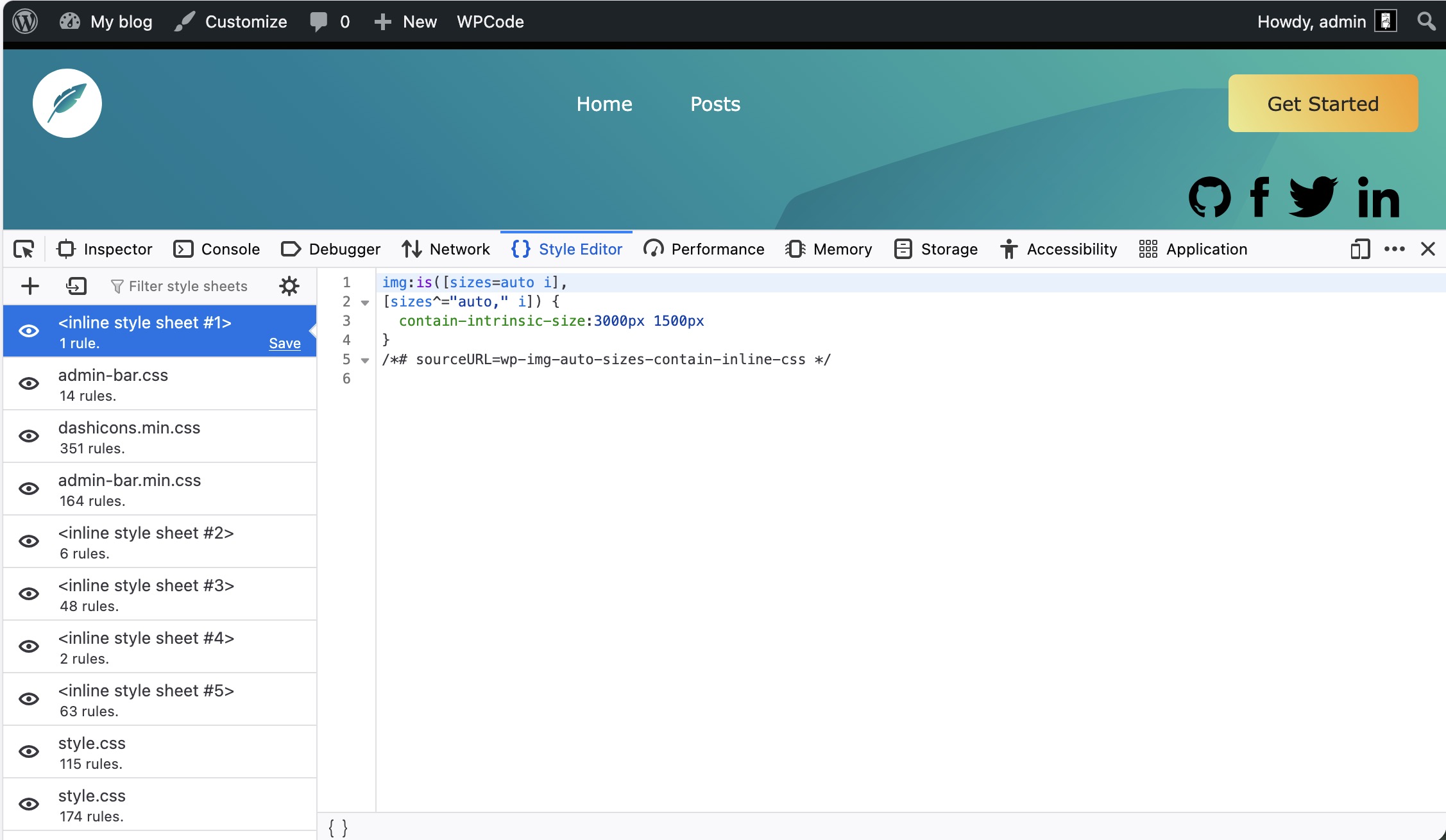
- go to the ClassicPress main site, right click and select “Inspect”. Now comes a tricky part - there is a small arrow in the top left corner of the panel that pops up, if you click it and then you click on an element on page in the panel you will be able to see two things: the HTML markup on the far left of the panel and in the middle the CSS applied to that single element you clicked. This is better used when you just need to know the styles from a few elements.
Working with a new theme I suggest you can do both (check the styles.css file and then go over the specific CSS of the elements you need to check).
BTW your issue with the whitespace on top of the header - that is a context where clicking inspect and finding out which element the margin/padding was applied to and adding a line in Customizer>Custom CSS panel would have done the trick (it’s a real-life example of the way that method can be used, I mean). While if you want to for example change colors sitewide or add/change styles globally to it going to read the styles.css file is better because you can have a broader understanding of what the styles are doing to the markup.
1 Like
On the left, it tells you which file contains the CSS (or if it’s inline). On the right it gives you the contents of each file (or inline declaration). So this provides you with the means to completely reconstruct the CSS used on the ClassicPress website.
1 Like
That’s very cool. Thanks!
1 Like
Translation:
‘Let’s make ClassicPress WITH ClassicPress.’ means it shouldn’t be difficult to make the ClassicPress.net home page with a theme called ClassicPress or ClassicPress Child.
Also, we’re all busy with our problems and spending extra time helping other people with their problems. I try and practice the ‘Bambi rule’. I recommend it.
The ClassicPress site used The ClassicPress Theme that is a ClassicPress Theme developed specifically for the ClassicPress website.
Why you continuously state it’s not?
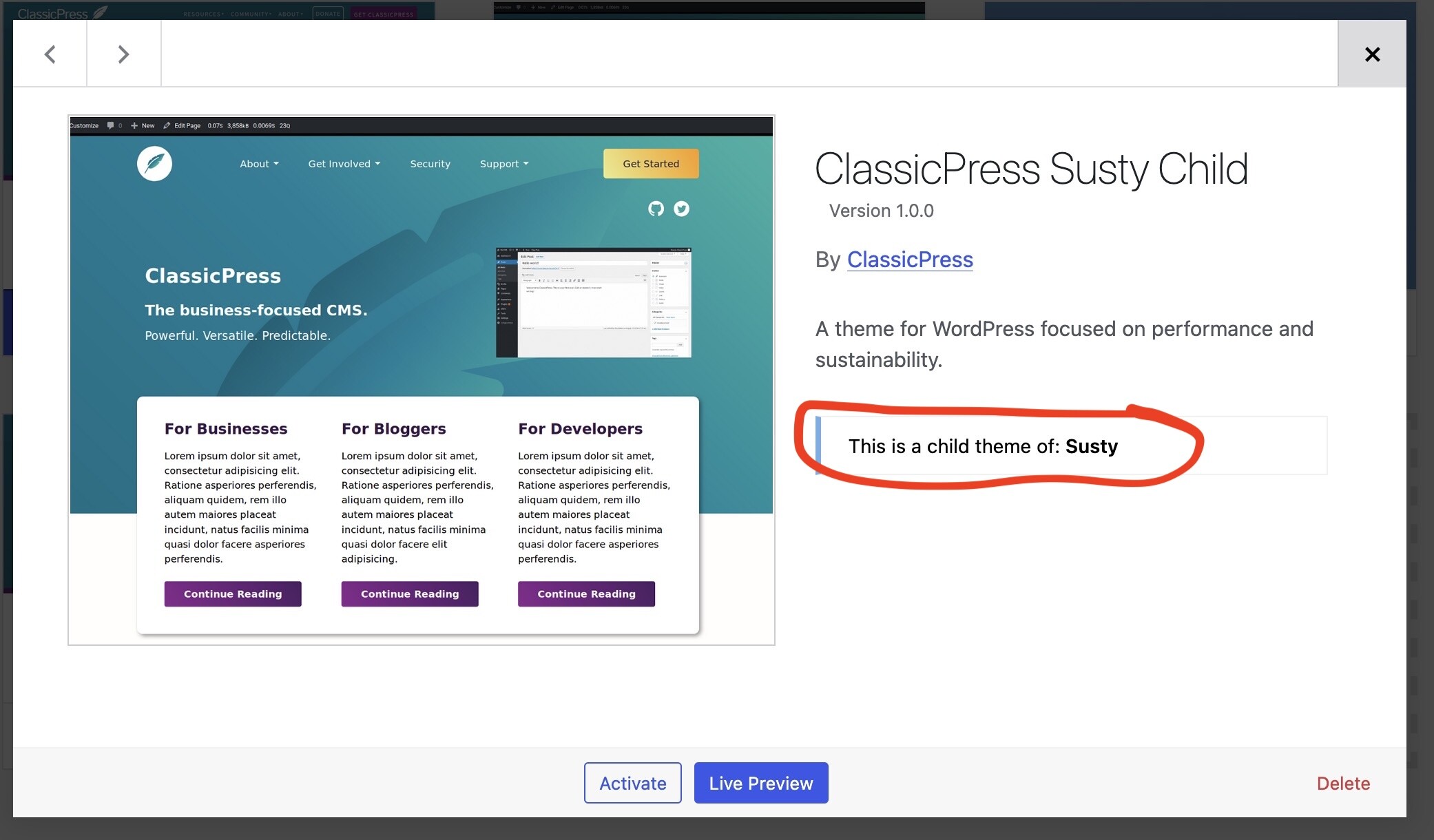
Because it says so on the label?
And sorry to be a pain. Thanks for your reply.
to test this, I deleted Susty and ClassicPress Susty Child failed. What am I missing?
Translation: you like to use a misleading slogan because you think it’s cool rather than state things accurately. And then you like to criticize others for not doing what you want.
This one that you find at this link is the correct theme version - and it’s not a child theme any more.
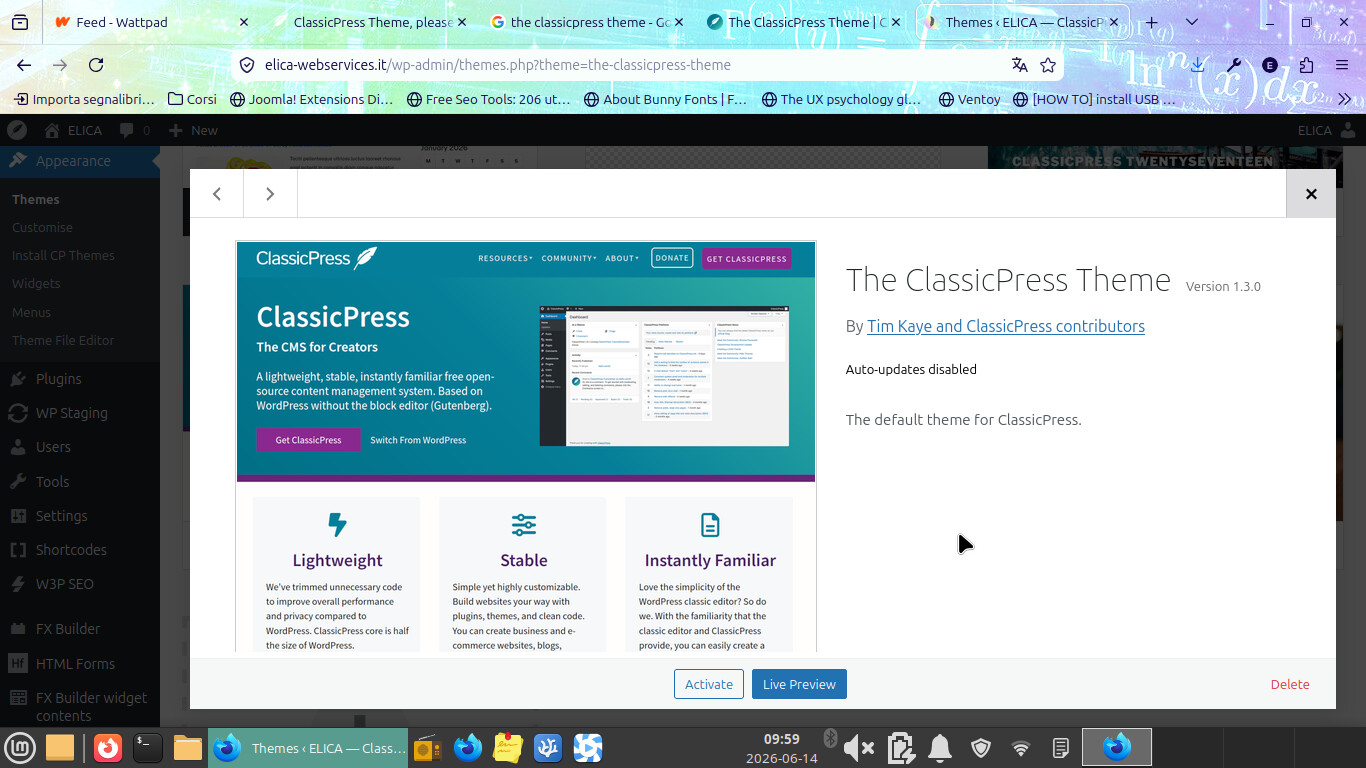
pic from my dashboard on a site where I have CP latest with the theme latest.
You have 1.0, the theme is now at 1.3.0 version and in that span of time between the two versions, things changed quite a lot.
It is true that it started as a child theme because it was easier for the team involved to make design decision about the website at the time, then people started to ask it becomes a default theme for CP because at the time we were using a modified version of 2017 for CP default - and thanks to many contrinutors we were able to maintain the main features of SustyWP (the way it is a very light theme with a very low footprint) and design our own default theme thus slowly improving also CP website.
That is how 1.3.0 came to be the default theme for the CP CMS and the theme the website uses at the same time - because people before you asked for it, for they liked it.
2 Likes
Thanks to all the coders, the editors, the viewers, and the visitors. I have a lot to learn. I like to practice the ‘Bambi rule’. To all the others, I recommend it.
Thank you very much. THAT was the problem. I downloaded that from one of your locations, but by now I can’t remember which one. Sorry that this took so long, thanks for your question. Thank you again.
Claiming to do something is not the same thing as actually doing it
I’m going to practice the Bambi rule.
I’m going to practice the Bambi rule here.