Hello CP Community,
I’ve had a chance to take a break between projects and did some background reading. In particular I found Ideal featured image size in ClassicPress theme - #11 by raygulick this discussion interesting.
It looks like Susty and Child were the original basis for the CP Theme, but the ClassicPress website doesn’t actually use the ClassicPress Theme.
I am looking for both Appearance (the visual appeal) and Performance (nobody likes a slow website) - not necessarily in that order. More specifically, I want something that I design, and doesn’t look like a blog, while also capable of scoring 395+ in PageSpeed Insights.
The Susty Child has the Full Page Template design I am seeking, but I want to avoid the bloat and jquery. The other delightful presentation is the “gallery” of Post Excerpts.
The CP Theme is lean and fast, which has the speed I am seeking, but still looks too “WordPressy” for my taste. I want to go full width and full height.
Theme developers, I think we are really close. What can I (and others) do to help you put both Appearance and Performance in one theme, please?
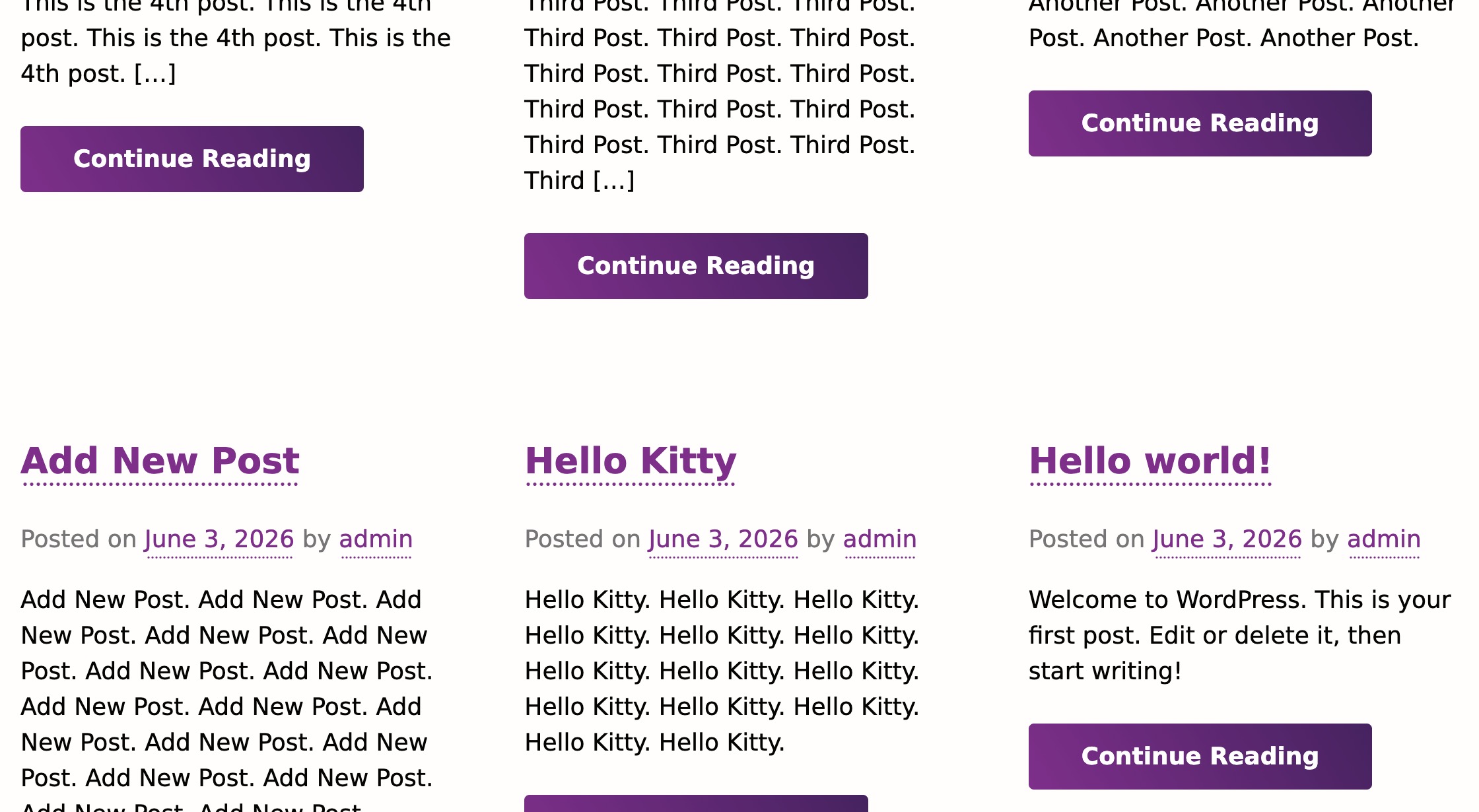
A few further thoughts. I see I’m a little late to this party https://forums.classicpress.net/t/at-what-point-do-we-face-up-to-reality/3679?u=ranwest
IMO, a good, clean, fast theme that scores high in the necessary categories as described above (with or without plugins) would be what I need to return to the Press world.
Again, what can I do to help with this?
Thanks again to all those who have struggled to get this far. Well done.
So, would you be interested in a shortcode to display posts in a grid?
For example:
[post-grid type="post" category=”my-category” count=”9” columns=”3” pagination=”1”]
I’ve been thinking of adding it to my own theme, but my clients have no posts, so it wouldn’t make sense. But if you want, I could do it.
Again, I’ve been thinking of adding my theme to the ClassicPress directory for a while now, but I’ve been busy.
That looks wonderful! How do I add this?
Don’t try it, as it does not exist. It was just a question on how you would add it to your pages.
I am working on it, and I will add the theme to the CP directory.
Ha! You got me. I will be waiting!
Where can I find your theme?
But I will make it free for ClassicPress.
Thank you!
I have a Microsoft Free laptop, I would like a Gutenberg and jQuery Free website.
More to the point. How can I get up to speed with a client website similar to the ClassicPress home page? I have Fx tools, but there are gaps in my experience.
(I started HTML in 2003, self-taught, WP in 2009, HTML5 in 2017, going back to build CMS sites for clients and looking for something that doesn’t look “WordPressy” and scores on PSI. I know, I know - those are two unicorns, and going in opposite directions.)
Thanks again.
p.s. I think there was a problem in your demo.
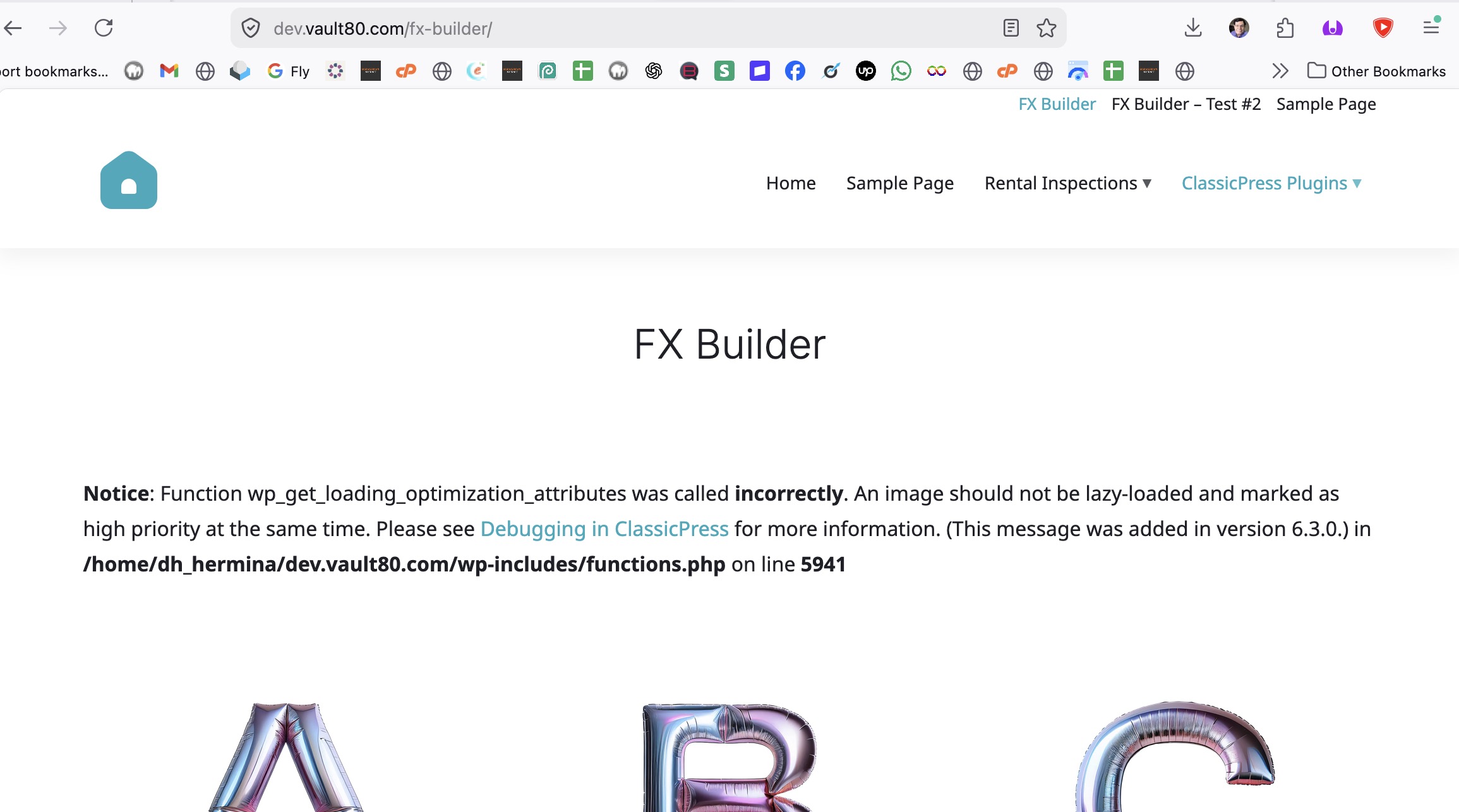
That’s not an error, but it’s true, I wonder how I got an image to be both lazy loaded and high priority…
Anyway, I am working on somethihg right now, a replica of the ClassicPress homepage:
Note that it’s work in progress.
Yes, please!
Call-to-Action Button in the upper right, too, please.
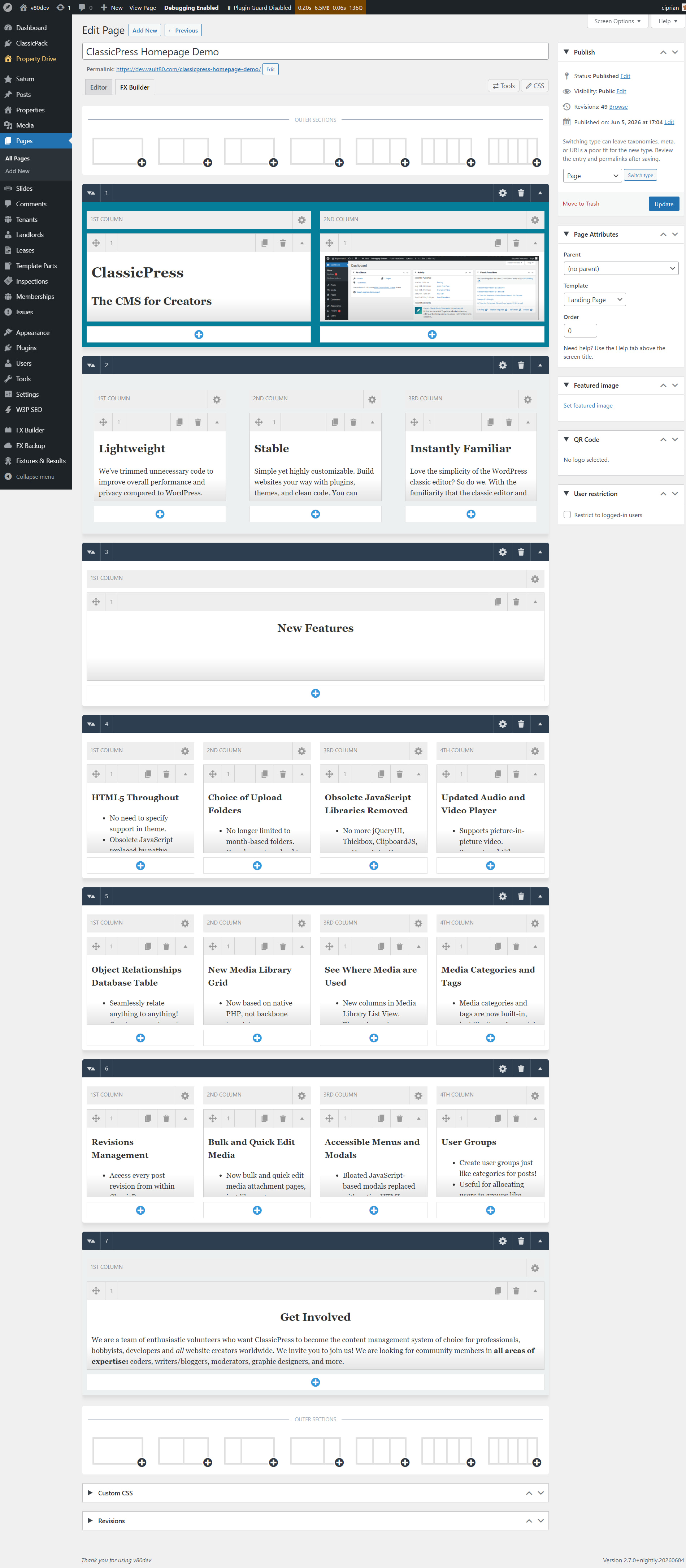
Sweet!
Thanks again for your generous share!
This screenshot was very helpful.
Did you have a chance to do more with the ClassicPress home page layout?
Hello Ciprian,
Did you have a chance to add a shortcode to display posts in a grid?
Thanks!
I vote for this (a shortcode to show posts in grid or list format with options to specify what to show)
In another post I gave you the CSS to do this without having to use a plugin/shortcode:
Brilliant!
I had seen this but couldn’t find it again.
Thank you.
Would it be possible to have a thumbnail of the featured image in the list of all posts?