ClassicPress has a greenish color for header and footer. Where is that editable, please? Thanks!
… you claim you know how to make themes - and say my child does not work. Yes I wrote the README.md file with an AI to be faster and it assumed I was working with a WP site - AIs does help with writing quick things but sometimes gets details wrong. I don’t think that changes the fact the child theme does work.
Colors are controlled in the parent style.css file usually - but you can overide them into the child theme targeting the elements you want to color differently.
that said - visit https://elica-webservices.it/ because it has on my working child theme with some widgets and the footer/social menus so you see it does work (an easy way to test it is download files from GH the correct way - by using GH inbuilt download feature and installing it by uploading it).
I do not know if in the other thread I posted a screenshot but… here it is:
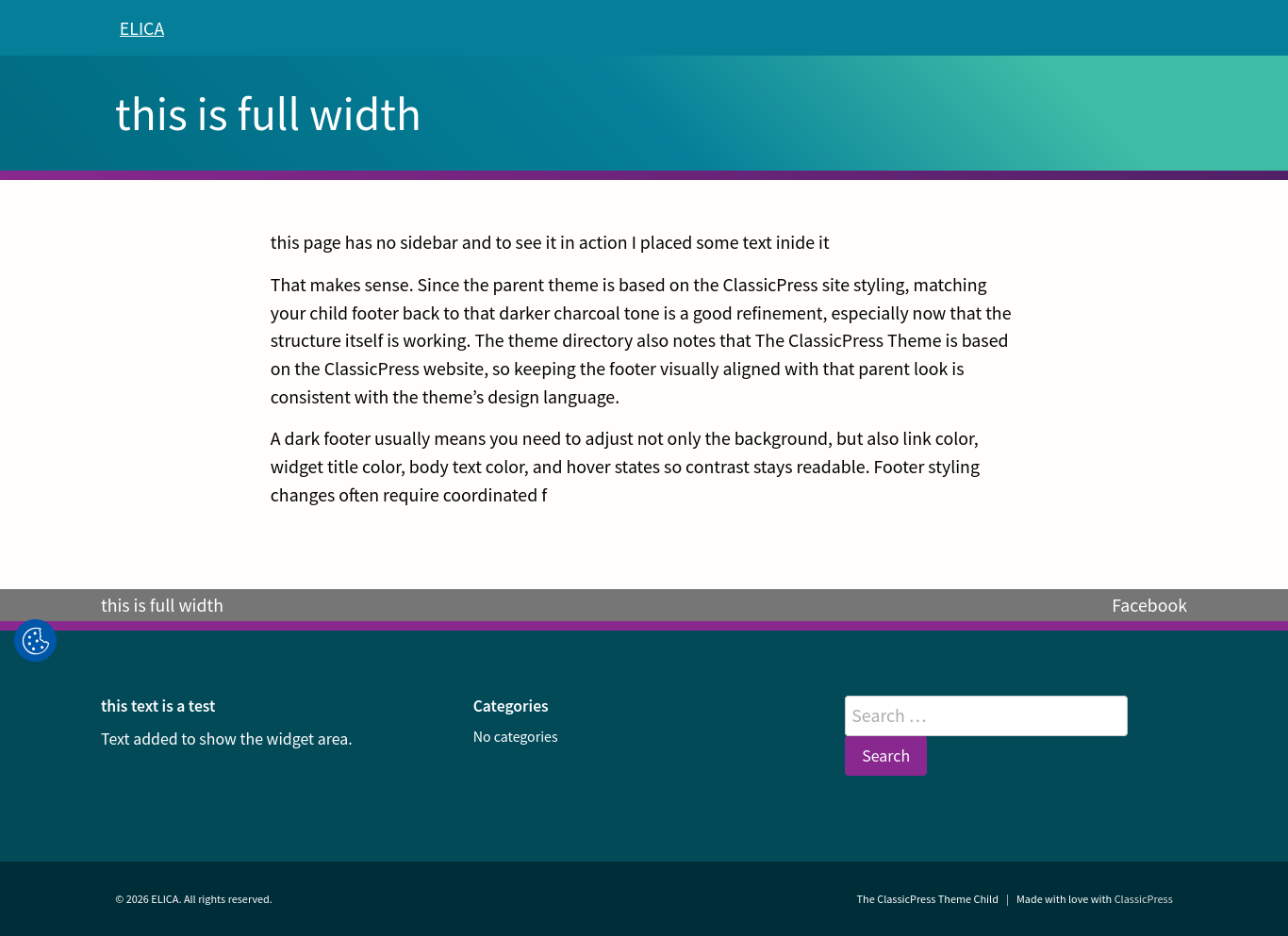
Basically this is the child theme installed and still active on my ClassicPress site whose link is above and that I am relaunching and it is showing my footer implementation (the grey bar is for footer menu and social menu, under it the three widget areas and the theme credits at the bottom of it all) and full-width page template.
the live site might help you because you can inspect the page with dev tools and see which selectors you want to target to change colors.
Or you can use AI asking it to identify all places where colors are used and decide what you want to change that way.
Or you can read the styles.css file and find all the color references yourself.
What you chose to do I think depends on how much time you do have - the first solution might take minutes but only allows you to change detailed elements (not the complete theme skin) - it’s ok if you just want to change a couple of things but does not encompass the whole theme skin.
using AI might be even faster - and gives you a complete look at the theme skin. changing the whole skin however, once identified might take longer than minutes (deciding on your palette - and how to use it for the theme skin - and apply all changes into the child theme).
Third solution - reading the file - allows you a better first hand understanding of the theme but takes longer to accomplish. The ClassicPress theme was derived from SustyWP that is in turn derived from Underscores theme. It might seem pretty simple but it’s not because it changed some of the behaviors of Susty WP and simplified some of the feature of Underscores resulting in a theme that to me is better than both of the ones that inspired it and that shows also in styles.css - it’s its own theme, not just a derived theme.
That said - I helped because I was under the impression you were asking for help, if that was not the case - my bad.
And BTW - I am not a newby like you seem to assume. I do believe that everyone needs help from time to time even with small tasks regardless of their experience level and this does not take away from the fact they are experienced. Instead it shows they are able to continue to grow and learn even more. Asking question in a forum like you are doing to me is a sign of the fact that you are indeed someone experienced who knows when to ask. I respect that.
3 Likes
Thanks for your reply. tho you might have me confused with someone else. There are lots of assumptions I don’t recognize. Also, Firefox blocked me from visiting the page you recommended.
That Firefox is because with latest update the foxy enabled DNS over HTTPS and that means some sites get flagged from it and blocked for no reason. I discovered that the hard way today with another site I manage visiting it from Firefox dev edition on Linux Mint.
Sorry if I mistook you for someone else - I do really apologise.
1 Like
I feel like quite a lot is missing in the discussion .. 
so, for the original question: What theme are you using? And how far does your knowledge reach, eg. do you know about CSS or are you a beginner in this?
cu, w0lf.
1 Like
I am looking for a theme for a new client. I began looking for a CMS and discovered CP.
Agreed.
I’m still looking for a basic theme. I have ClassicPress Theme, made a child theme for it and then found a pre-made child theme.
I am a former professional photographer who moved to web design in 2003 (a few weeks before WP was forked from 2b/cafe), I built HTML by hand. I am self-taught. I started design with zengarden before CSS3. I made some child themes, was a WordCamp Ranger San Francisco 2013 and 2014. Left the WP world to get away from patterns after 2017. I built my own “platform” which is now workable but antique.
I have used Bootstrap 3 and 4, not 5. Most recently, I have been working with W3CSS for it’s use of classes and small size. I test in PSI and watch the milliseconds add up. I try to stay green with 390+. I have looked at litespeed but haven’t used it.
I am looking for a theme that is fast, easily editable, and simple. I sometimes copy and paste PHP, but don’t understand it. Thanks for the questions!
When I work with themes I mostly use a slightly adapted version of sustyWP (there is a method of menu embedding that I dont like), and then just drop a full or slightly tamed copy of Bootstrap 4 or 5 into it. That allows me to go as wild as I want, while already working with a fully functional site / theme.
Its basically what a lot of graphic / web design colleagues of mine do; they tend to do most of the design etc. I’d say most of the time they get on by with tools like Advanced Custom Fields, Visual Composer etc. just fine, but sometimes things need to be taken to a deeper level - and then call in the experts - eg. me.
One can get on by with copy + paste of eg. widget PHP code etc. pretty easy, too.
So my suggestion would be to go down that road.
cu, w0lf.
ps: Just try to avoid using any AI tool (esp. chat-focused LLMs), because you always need to check their sources, as they make up stuff on the fly .. and while looking up the sources one could easily just read them directly or find some good tutorials and just do it by oneself properly.
2 Likes
W0lf,
Thanks for the suggestions. I downloaded susty, made a funky but workable child, added css, added wide page (and remembered to select it)… But, I still have more margins than content.
Which leads me to ask what is ClassicPress.net built on? If it is built on wp or cp, surely there is a simple solution?
Thank you
classicpress.net is built on ClassicPress and makes use of the The ClassicPress Theme (that is the official default theme that I provided the child theme with footer AND full-width page template above for reference).
You problem is not the child theme (Whichever theme you used as parent) your issue is applying a specific class to the full-width page template and style it to allow it to take up more space - because you have a full-width page template that still uses the CSS that is for the pages with sidebar.
1 Like
Thank you sincerely. This is exactly what I need, however there is something preventing me from understanding what I need to do. Can you say this with different words, or better, show me an example?
Thank you, thank you, thank you!
Dinner time. Will explain that in detail after I am done. It’s easy, just a piece of CSS to add.
2 Likes
Yes, please!
ok let’s get to it - I will use as example The ClassicPress Theme child I did because basically if you want to use SustyWP the process is the same and the template file is very similar.
you are the point where you duplicated page.php and removed the sidebar call and you have page-full-width.php template that starts with a code similar to this:
<?php
/**
 * Template Name: Full-width Page
 *
 * @link https://developer.wordpress.org/themes/basics/template-hierarchy/
 *
 * @package The_ClassicPress_Theme_Child
 */

get_header();
?>

	<div id="primary" class="full-width-primary">
		<main id="main" class="page-main">
Do note the line that says <main id="main" class="page-main">, when I say you have to add a class to the template I mean that the class should be placed here, and it should be easily understandble what it does. I added the class page-full-width to my template there, like so:
<main id="main" class="page-main page-full-width">
Now to be very clear for The ClassicPress Theme Child the template is as follows (so you see I also removed the sidebar call to it)
<?php
/**
 * Template Name: Full-width Page
 *
 * @link https://developer.wordpress.org/themes/basics/template-hierarchy/
 *
 * @package The_ClassicPress_Theme_Child
 */

get_header();
?>

	<div id="primary" class="full-width-primary">
		<main id="main" class="page-main page-full-width">

		<?php
		susty_wp_post_thumbnail();

		while ( have_posts() ) :
			the_post();

			get_template_part( 'template-parts/content', 'page' );

			if ( comments_open() || get_comments_number() ) :
				comments_template();
			endif;

		endwhile;
		?>

		</main><!-- #main -->
	</div><!-- #primary -->

<?php
get_footer();
SustyWP theme has basically a very similar page template for page.php since it was derived from the Underscores theme and The ClassicPress theme was derived from SustyWP.
Now - you have the template, you can create a page with it but the issue is you haven’t told the CSS how you want it to behave yet - the template line where you placed the new class to style it has a class that gets added to pages by ClassicPress (and WordPress) - that is class=”page-main”. the CSS in styles.css has instructions to style it and it takes into account that the page.php template (the original one) contains the sidebar. That is why you had to add the page-full-width class.
I suppose you want the content wider and centered in your child theme because the sidebar got removed. SustyWP has a “mobile-first design paradigm” that in web design terms means it was developed to be nice for mobile viewing and then adapted to be nice on desktop instead of the other way around - and this basically means that content is styled in a narrow centered column so that when on a mobile readers can view it correctly, instead of altering the desktop view to fit into the mobile. When you remove the sidebar to the page template what happens is the content gets somewhat centered but stays narrow because it’s “mobile first” designed.
To avoid this you have to use the new class page-full-width and add the following to your style.css file to tell the theme how that page should be wide and that it should have the content area (the main tag) centered so that it has the same white space left and right:
.full-width-primary {
width: 100%;
margin: 0;
padding: 0 1.5rem;
box-sizing: border-box;
}

.page-full-width {
width: 100%;
max-width: 1200px;
margin: 0 auto;
padding: 0;
box-sizing: border-box;
}


.page-full-width .entry-header,
.page-full-width .entry-content,
.page-full-width .post-thumbnail,
.page-full-width .comments-area {
width: 100%;
max-width: 100%;
margin-left: auto;
margin-right: auto;
}


.full-width-primary article,
.full-width-primary .hentry,
.full-width-primary .page {
width: 100%;
max-width: 100%;
margin-left: auto;
margin-right: auto;
}


.page-full-width img {
max-width: 100%;
height: auto;
display: block;
}


.page-full-width iframe,
.page-full-width embed,
.page-full-width object {
max-width: 100%;
}


@media screen and (max-width: 900px) {
.full-width-primary {
padding-left: 1.25rem;
padding-right: 1.25rem;
}
}


@media screen and (max-width: 640px) {
.full-width-primary {
padding-left: 1rem;
padding-right: 1rem;
}

.page-full-width {
	max-width: 100%;
}

}
From top to bottom this details what needs to happen to the page-full-width.php template.
it sets the wider width, centers content area, keeps elements in the main content area readable, blocks the parent theme from setting narrow limits, maintains images responsiveness in the widened container, also makes eventual content you might embed scale correctly, and has the rules for tablets and mobiles viewports too. It is all targeted to that new class that was added to the page-full-width.php template so that those rules only do apply on that template (and do not override the rules for the template with the sidebar that are directed to the page-main class).
Save the files and you are done.
If you need the content area a bit more narrow - just change the values so that it fits your requirements. I admit in my child theme I styled it large (disregarding that the theme is a derivate from a mobile-first design theme) and that is not everyone’s cup of cake - there were reasons to develop mobile first when SustyWP and Underscores were first developed that now might not completely apply anymore because yes people use mobiles more than ever but CSS evolved and surpassed the need to use tons of @media query rules (that was one of the reason to develop mobile first - not to write a kilometer of them).
2 Likes
Thanks for the excellent The ClassicPress Theme child and your kind and patient post in support.
This was built on MAMP localhost, because it’s closer, or I would link it. I have downloaded, installed, configured, customized, added posts and pages, many times over many hours. I have also checked, edited, and replaced several versions. (I had upgraded to WP7.0 and needed to make a new install for WP6.9.)
I was so looking forward to a better result. Part of the problem may be that I am self-taught and I may not have had the best teacher. A contributing factor may be that I am returning to WP after several years.
(I copied and added the ‘images’ folder to my child theme so your feather logo would show on the child-theme.)
I then added “Headers and Footers” plugin from WPCode, added the full css links, and then added the HTML for a full body website. Same.
I want the image to be full-width: as wide as the header and footer.
It’s not.
There is more margin than content.
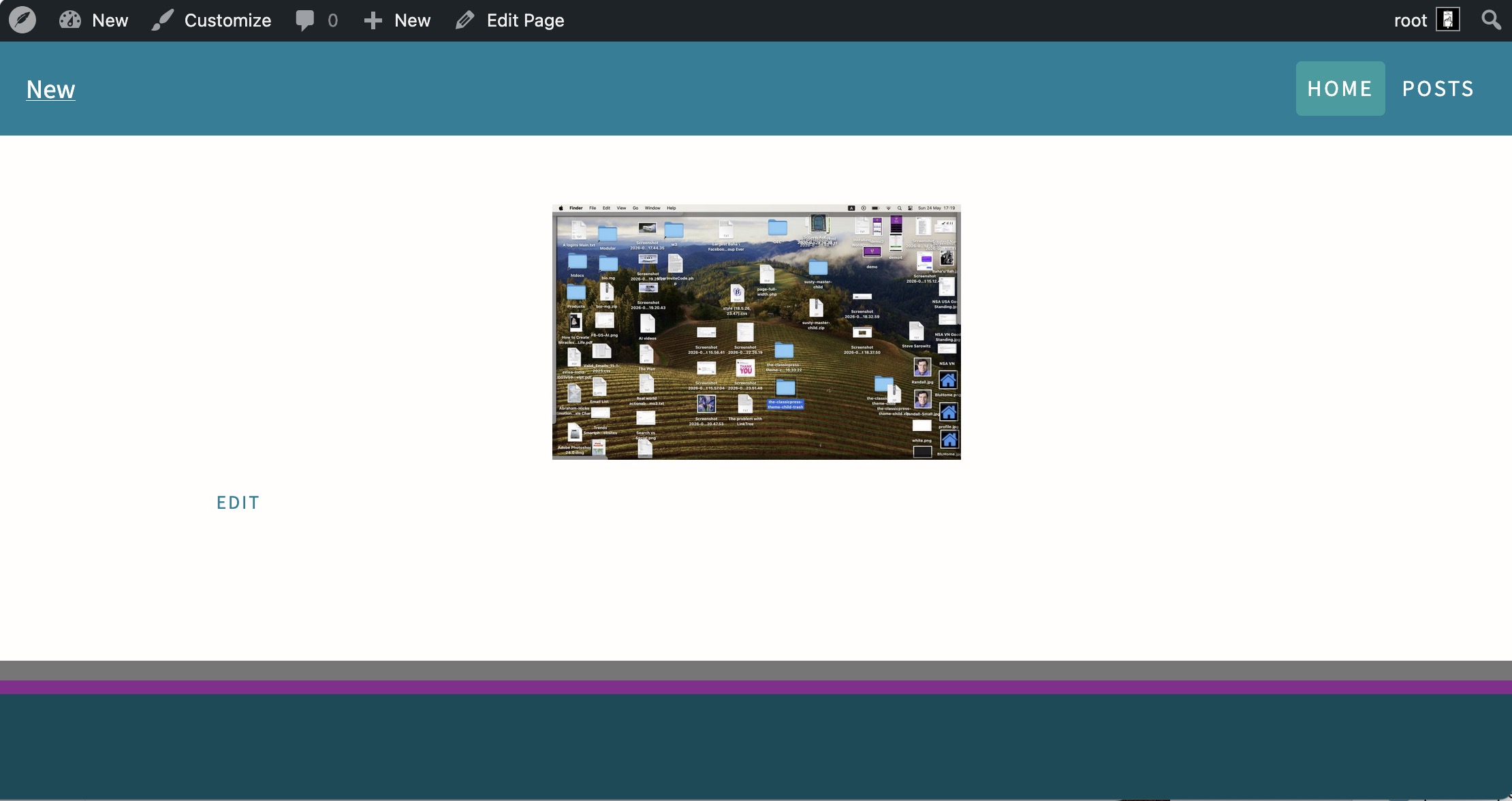
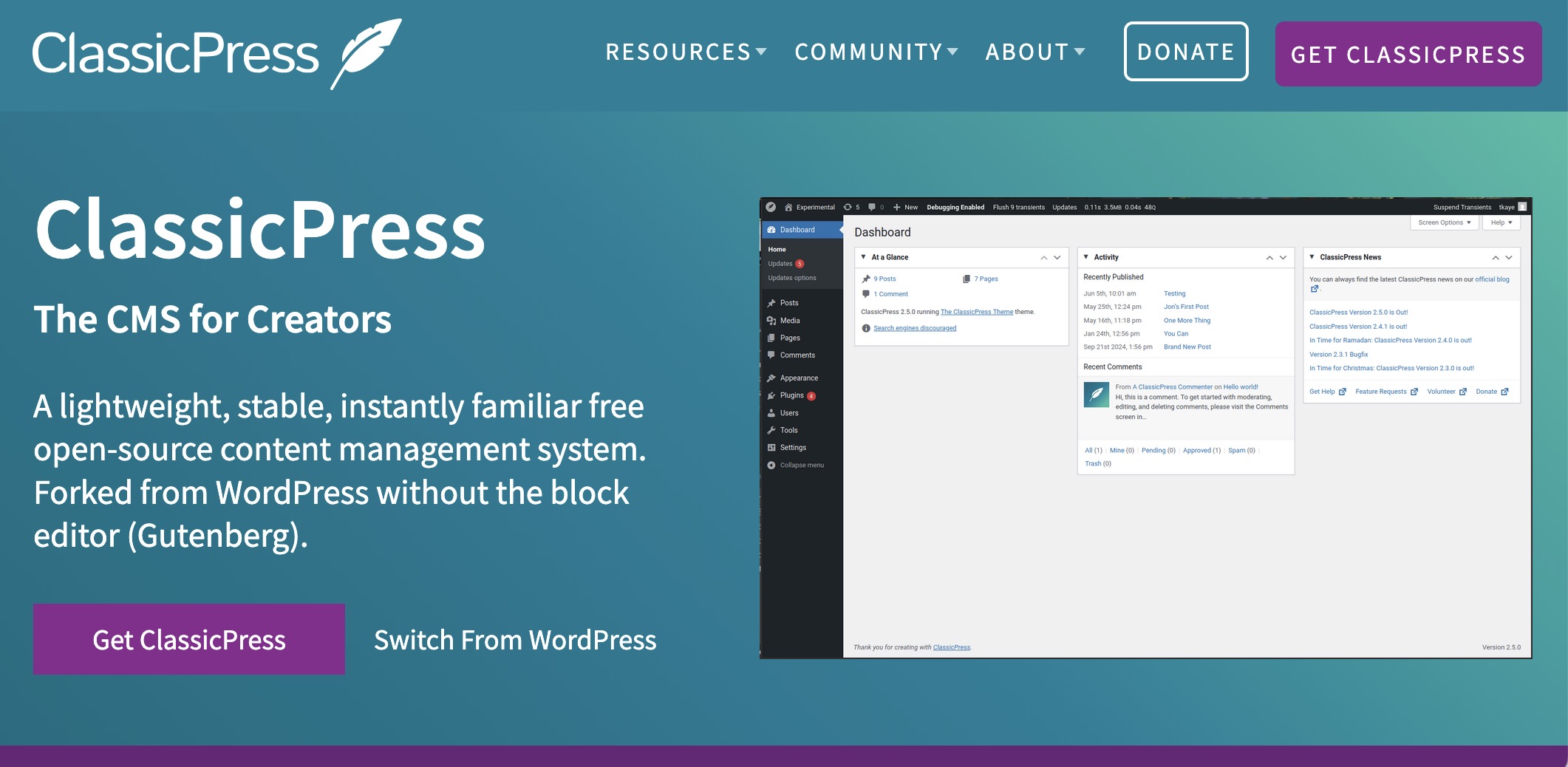
I want it to look like this:
ok -I am not giving up BUT you are using a ClassicPress theme on WordPress? just to understand your setup.
Then - can you go to the image and click the pencil icon on it please? and set it to original size please - because if in WP/CP you upload an image inside a post it could be it is loaded medium size. or small.
You need to put it large or original size.
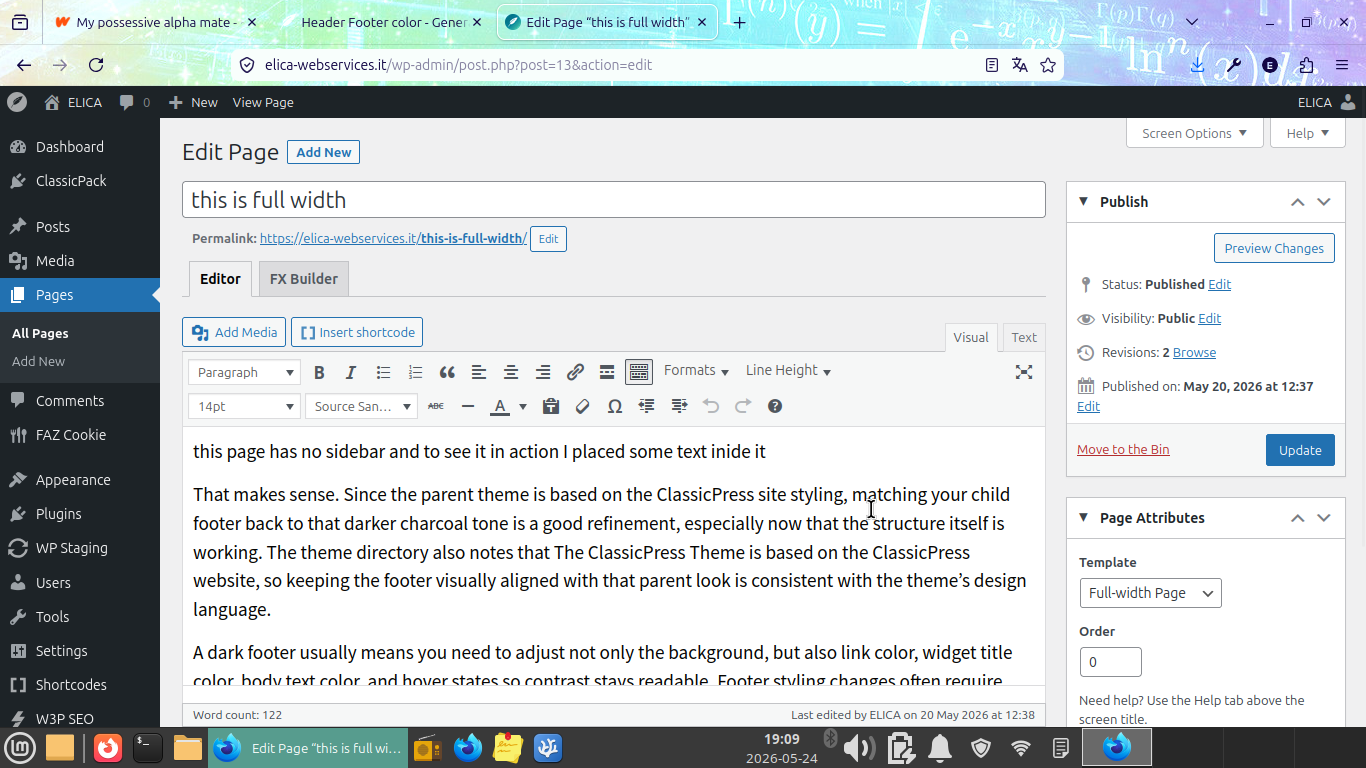
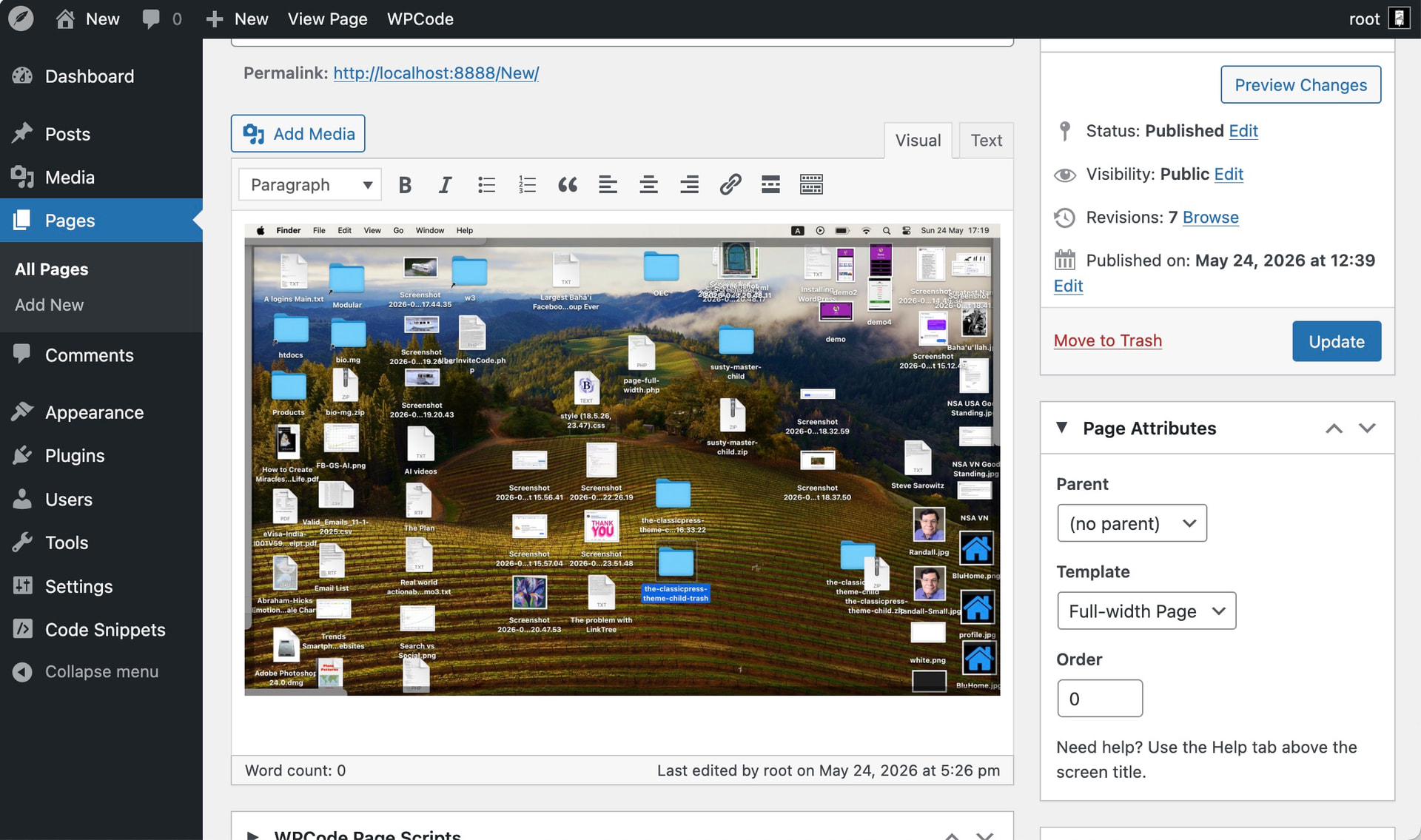
Moreover - to have a full width page template with my own child theme you go to pages and select the correct template in the box on the right where you set Page Attributes - otherwise it uses the page with sidebar one.
Like so in the pic.
1 Like
Thank you!
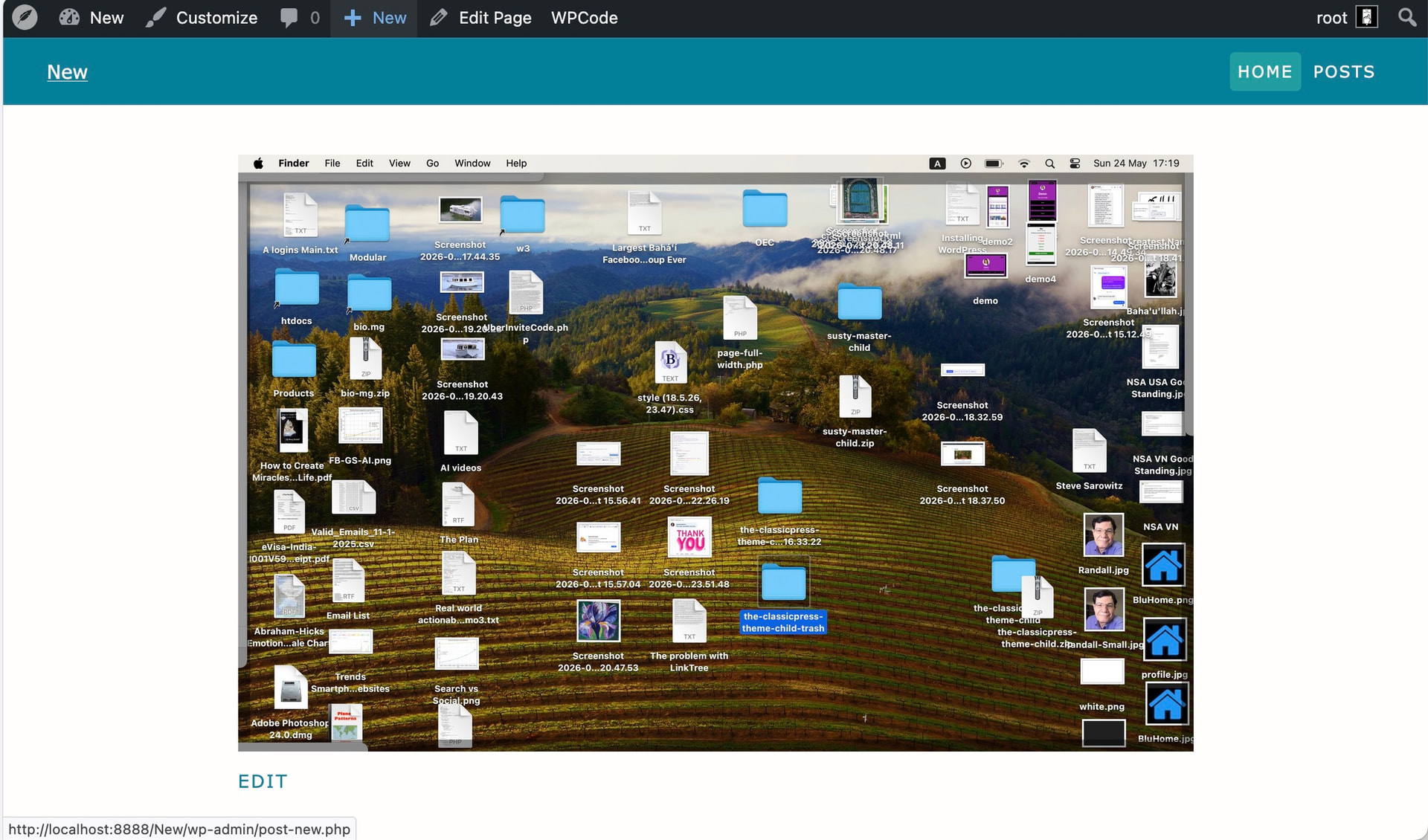
These are the corrections you suggested.
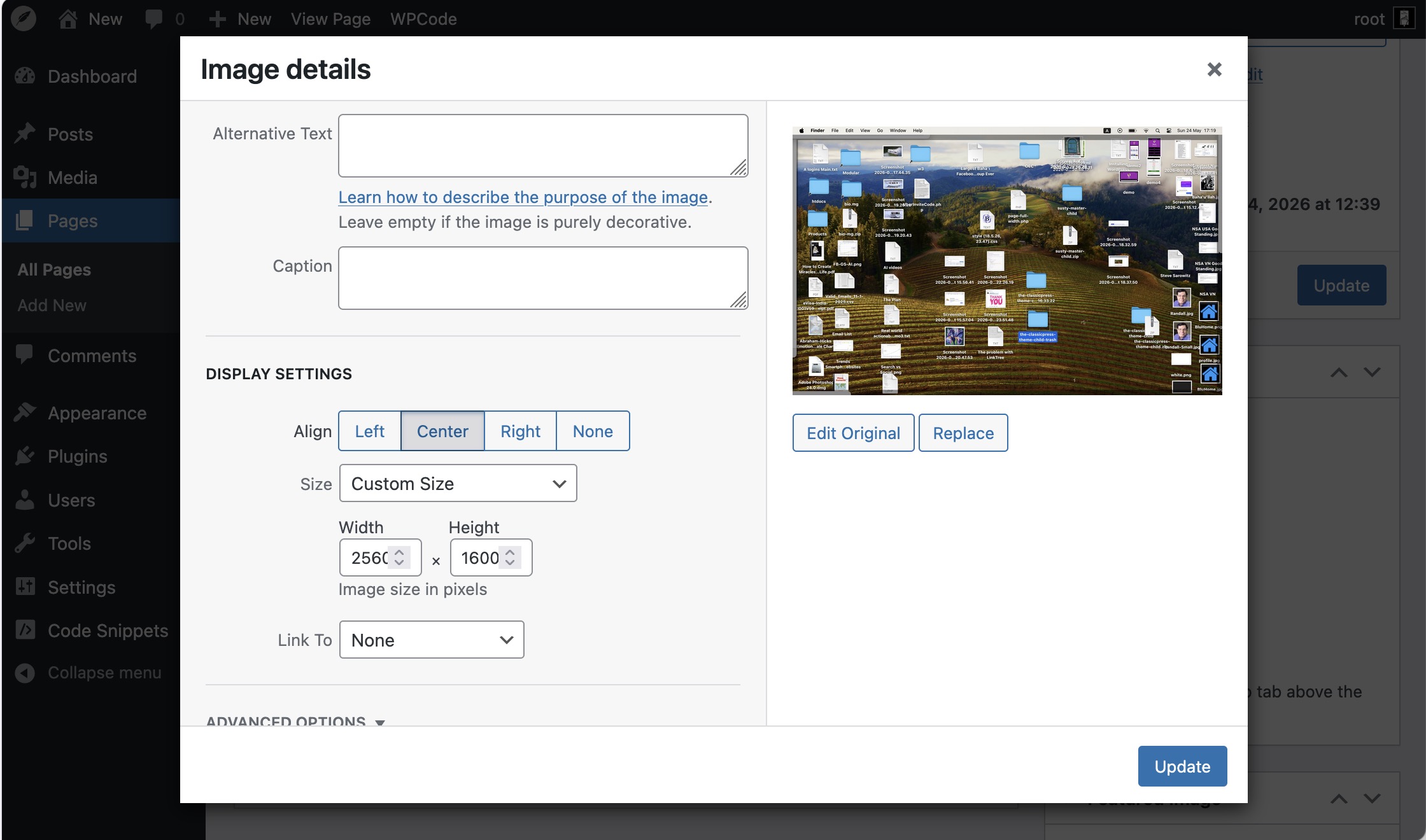
This is much better but still not full.
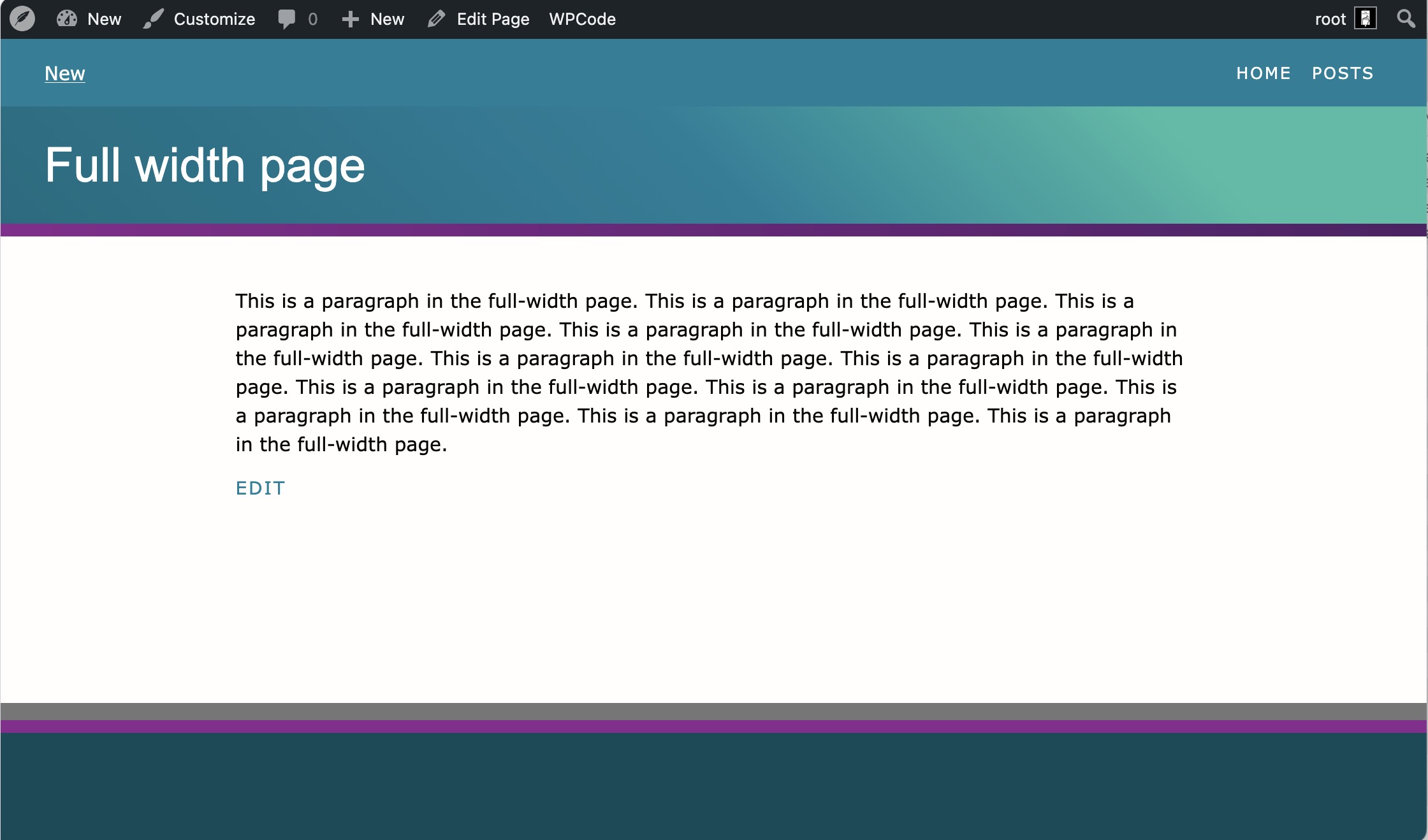
Thanks again!!
ok now - it’s not full because what you see on the CP website is a custom hero sectio specifically set to full width (usually normal content does not span that width because of readability/accessibility to help people with disability understand/read your site).
To obtain that please install the FX Builder plugin by Ciprian, create a section and set it to full-width.
You can find it here: FX Builder | ClassicPress Plugin
Also you can install other two plugins:
FX Shortcodes: FX Shortcodes | ClassicPress Plugin that has a cover element to just build that king of hero section
FX Builder Widgets FX Builder widgets | ClassicPress Plugin to create content to show inside widgets with FX Builder.
Keep in mind that FX Builder relies on the Classic Editor, if you are using WP you need to have a plugin to disable the block editor so that you can use it.
3 Likes
I am using CP, CP Child, page-full-width.php copied and pasted, ditto for functions.php, style.css, etc. I now have three additional CP plugins to add to the switch to CP, and three themes: Seventeen, CP, and CP child.
I have had some experience with Beaver Builder. This looks similar. I will play around with these plugins and see what happens.
Thank you!
FX Builder and FX Shortocodes (and FX Widgets plugin) do have a similar way to build Pages as Beaver Builder.
Ciprian did a good job with their FX Builder ecosystem because now it has readymade shortcodes that you can nest to build everything you can think of (and it’s a lighter plugin compared to others).
Also having plugin is not a bad thing on a site. It’s a myth that you do need to limit them. If you know what you are using them for having a number of small plugins doing each on job is ok. it also helps you because you can just install only the small plugins you need to do the thing.
2 Likes
I agree, FX Builder is really light.
Also, something I do for my own websites, I have a custom plugin where I keep all custom functionality, instead of a plugin for each feature. Scripts and styles are enqueued only when needed, modules are loaded only when needed. All light and flying fast.
For example, I have an image compressor, a QR generator, a commenter emailer and a few other bits and bobs.
1 Like