Using Classic Commerce

From the admin page:
Commerce > "Learn more about orders goes to classiccommerce.cc and variations of classiccommerce.cc, which forwards to a spammy page.
and other pages to variants of classiccommerce.cc

On the main page (screenshot) of classiccommerce.org :
“There has been no changes to the functionality of the software as forked”
could be either:
“There has been no change to the functionality of the software as forked…”
or
“There have been no changes to the functionality of the software as forked…”
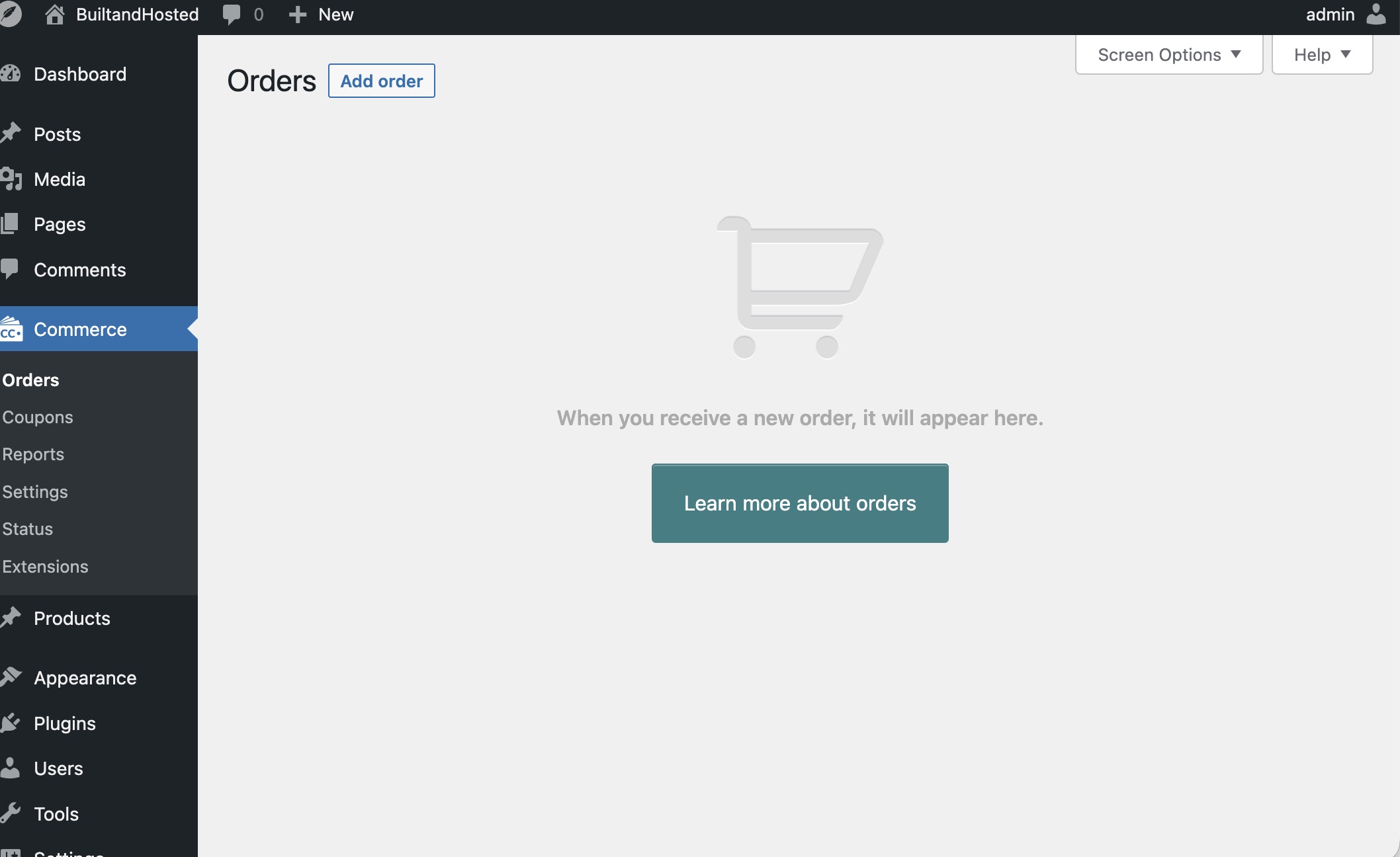
small history lecture (I do not know what to call it sorry):

  • at first there was a dev who offered to fork Woo, ClassicCommerce was born and lived in the CP research repository since CP to encourage people to develop for CP offered infrastructure. at the time there was this idea of “core plugins” maintained by the community (that was later abandoned) and having CC fit in there made sense.
  • the dev later gave up. too big of job for one man show. Two other devs adopted the plugin and the site you found was born. They gave up too after making some work on the code.
  • later on @seanthompson developed v2 from v1 and I developed Classic Store starting from his v2

All this happened in the span of 7-8 years.

Classic Commerce (v1 and v2) in my opinion need work and are not stable. Sean works solo on local machine and publishes the zipped file on their website from time to time but this makes it hard to follow along and help.

That is why i created Classic Store fork, and I set up the repo to be able to accept contrinutions from other people. It is NOT ready for production and I am in the stage “understand the codebase and then plan a roadmap”. Some things I want to setup as soon as I start working on it:

  • be compatible with Woo and with Classic Commerce v2 (Sean’s version)
  • set up all needed renovate bots to auto-update libraries
  • do a total search and replace to avoid having a mess of spaghetti in namings - evaluate that carefully because it needs to stay compatible as per first item on this list
  • then I think I will work on each piece of it (products/payments/shipping/etc) that are the three areas I do feel need a big overhaul.

So basically CP as of now does not have a real e-commerce solution (But @Ciprian has a plugin to manage paid subscriptions and I have noticed a post some days ago mentioning someone was preparing to list on the directory some plugins and among them I recall they mentioned a plugin to sell digital downloads).

EDITED TO ADD: Link to the aforementionned convo: Introducing myself

Sorry if this was long… I hope that it helps clarify where we are at.

2 Likes

Yes, of course!

I genuinely appreciate your support. I’m an old dog learning new tricks, I need all the help I can get in getting up to speed.

I’m not a coder, if there is something else I can do to help, please tell me.

Where I’m going with this may not need any commerce. That was just the path of apparent least resistance.

I will sell products as one of a kind, let Stripe handle the transaction and subscription, I will need some code to make a page or subdomain with magic link, then offer the product again.

Would anyone in the community be up for that? I have an old script in Php that makes the magic link. It needs a little loving, but it works by hand.

I hope this wasn’t too long. I use the free version of many programs and plugins. I am putting my (limited) money where my mouth is. CP is about the only financial tech contribution I have made in years. I hope to see that change quickly.

It works like this: you go to Stripe and create a Payment Link (they ask you all the info on the product and the price etc).
Go to your site and install FX Builder+FX Shortcodes (the latter is vital), write a post using FX Builder where you place a picture of the product (if applicable) and a description in a 2 column row ( use a good title for the post that catches attention for it to boost sales). in the next row (directly under the pic and description) use the button shortcode provided in the FX Shortcodes plugin and place the Payment Link in the button.

Save the post and publish. Have a page in your site with all the posts representing products showing up so people can purchase.

Now the fun part: customer comes in, clicks button, pays. Stripe does the invoice and all that and you do not need to worry. you receive the payment and in case your goods are phisical you will only need to ship them.

Hope this helps.

EDITED TO ADD: you can also use prebuilt payment form. Stripe Payments | Features and Process scroll down and it is the first option. this is you need your customers to send you some information (like the address or customizations they need to the product)

2 Likes

Ues. Thanks!
I have most of that. The wrinkle is that I make a magic link for login unique to each page. I need someone to code that or I have to do it manually. The only way I know for that plan is to limit sales to one at a time.
Thank you again. Good stuff!

oh, I see. your issue is the goods are unique and in one piece. Let me do some research (I have a similar issue so in solving yours I solve mine). I will come back with a possible solution if I find one.

1 Like

For context, I tried asking an AI to understand if the Payment Link created with Stripe can be set to work only one time and then becomes disabled.
I quote:
“Stripe Payment Links can handle this, and for a true one-off item the cleanest setup is to create a dedicated payment link for that single piece and limit the number of completed payments to 1, so the link automatically stops working after the first successful purchase. Stripe’s docs explicitly say Payment Links can be reused multiple times or limited by number of purchases, and deactivated links send visitors to an expiration page; Stripe also lets you manually deactivate a link if needed.”

This basically means there is an option you can set when creating the Payment Link that makes it expire after the goods are purchased the first time.

However sending people to an “expiration page” (that might reside in Stripe I think) it’s not good UX to me. I am going to continue my research to know what can be setup to avoid this.

1 Like

I do have a very basic solution. A plugin called WP Express Checkout that does work with ClassicPress.

When creating a product there is a section in the editing screen that allows you to set stock for t hat product - setting it to 1 means that when customer purchases it it goes out of stock.

Since we do need something that does work and this solution seems optimal I think I’m going to fork it and make it available. Do consider that for now you can basically use the WP plugin because it runs without issues in ClassicPress 2.7

It offers two payment gateways: Stripe and PayPal and you can activate the one you need.

1 Like

Checking it out (so to speak)

1 Like

WP Express Checkout asks for a list of countries. I found all the countries served by Stripe.
AU, AT, BE, BR, BG, CA, CI, HR, CY, CZ, DK, EE, FI, FR, DE, GH, GI, GR, HK, HU, IN, ID, IE, IT, JP, KE, LV, LI, LT, LU, MY, MT, MX, NL, NZ, NG, NO, PL, PT, RO, SG, SK, SI, ZA, ES, SE, CH, TH, AE, GB, US,

I like it. Thank you.
My products are websites and I charge hosting by subscription. The subscription is a paid add-on. Big surprise.
However, repeated attempts to purchase said add-on have been unsuccessful, as are repeated attempts to log in to their contact page. Tho, I’m sure their plug-in works better than their website!
Onward, and into the fog!

Ouch, I did not try for their website. Will try to reach them out to see if they want to support CP before I try forking and will let you know what they say about where to purchase the add-ons.

So I am on their website, apparently you have to scroll all the damn page to the bottom where there is the purchase option for the addons, THEN to put them in cart you have to create an account with them and then the cart with your add-on appears with the option to pay to complete the process. As of now I am not interested in paying but I suppose the process from there is straightforward (with them allowing you to download the add-on after purchase from your account page).

What kind of issue did you encounter so that I can report to them when writing them about CP?

1 Like

Update, I sent the devs a message to ask how you can contact them directly to purchase the add-on.
I also explained that given the fact it works in CP they might be interested in listing it on the directory.

Will let everyone know when they answer.

I had a similar experience as you reported. It was annoying to find that for me as well. However, it DOES work with CP, so there is hope.

1 Like

The dev responded. They say that you need to send a contact form from their site (what i understand is they are very slow to respond).

Also they are considering to list on CP directory!!!

I think companies are starting to understand CP is going to rgow more and are seeing the benefit in supporting it.

@MattyRob this might result in a commerce plugin (a very simple one) being listed on the directory. in their plugin setting pages they have a page listing addons for purchase - the purchase is done on their site and the addon is installed by uploading it directly on CP.

They don’t flood the dashboard with pushy advert and the commerce plugin is very simple to use (it supports Stripe and PayPal).

It might not be enough if one wants to build a very big strore with bells and whistles but for smaller stores that don’t need dozens of settings it is enough I think.

2 Likes

@ElisabettaCarrara - sounds like a good plugin design to have available easily in ClassicPress.

3 Likes

Good news!
I recommend Stripe.
Supporting the PayPal mafia supports Peter Thiel, who paid to put J.D. Vance, and D.J. Trump in office, twice.

They provide both in the plugin…